TL;DR
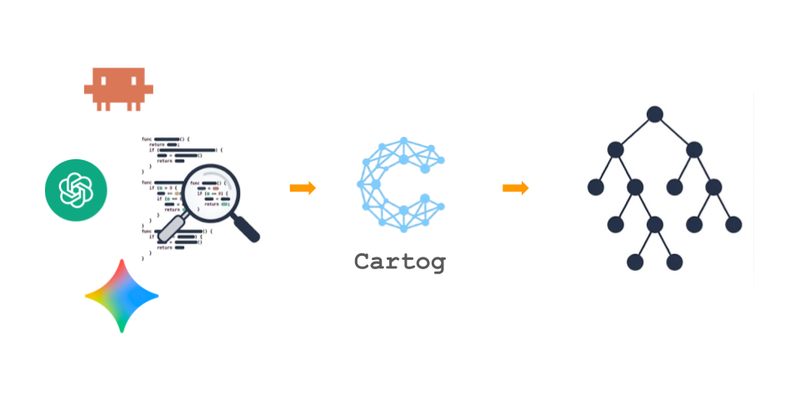
grepreturns text, not structure. An AI agent burns hundreds of tokens disambiguating definitions, imports, and false positives. Cartog parses code with tree-sitter, builds a symbol graph in SQLite, and answers queries (“where is X defined?”, “who calls Y?”) in microseconds — without reloading the source.
Let’s see how an agent searches for text and how that relates to context.
An AI agent exploring a codebase uses grep and cat.
When it searches for UserService, it gets output like this:
src/auth.py:3:   from services import UserService
src/auth.py:45:  # UserService handles authentication
src/tests/test_auth.py:12: mock_user_service = UserService()
src/logs/config.py:8: logger.info("UserService initialized")
Out of those 4 results, only one is the actual definition of UserService.
The agent doesn’t know which — it has to read every file to figure out what’s relevant.
Why are we talking about tokens?
An AI agent doesn’t “read” a file the way a human does. Everything that flows between it and the code —grepoutput,catoutput — is split into tokens and billed to the model. Those tokens fit into a limited context window. The more an agent spends exploring, the less it has left for reasoning.
Past a certain volume, accuracy degrades (the context rot phenomenon).
Let’s count using the example above.
The agent runs grep UserService and gets back 4 lines (~80 tokens).
It doesn’t know which is right, so it runs cat src/auth.py (~600 tokens),
then cat src/tests/test_auth.py (~400 tokens),
then cat src/logs/config.py (~300 tokens) to rule out the false positives.
Bottom line:
~1,400 tokens to answer “where is UserService defined?”, when a human would have just scanned for the class or def prefix in the first output.
Worse:
This cost repeats every question. “Who calls authenticate?”, “What does UserService inherit from?”, “What does verify_token do?”
Each question kicks off another grep → cat → cat → cat cycle. The context window fills up with redundant fragments before the agent has even started coding.
The fundamental problem: grep searches for strings, not concepts. It can’t distinguish a class definition from an import, a comment, or a log line. The agent has to mentally reconstruct the code’s structure from text fragments — and every fragment costs tokens.
Why is this a problem now? Agents have been using grep for years.
Because the cost has changed. When a human reads 4 files, they filter mentally in a few seconds. When an agent reads 4 files, it consumes context — and that context is limited, slow, and expensive. What used to be friction is now a bottleneck.
But then, how can a machine understand the structure of code without reading it like a human?
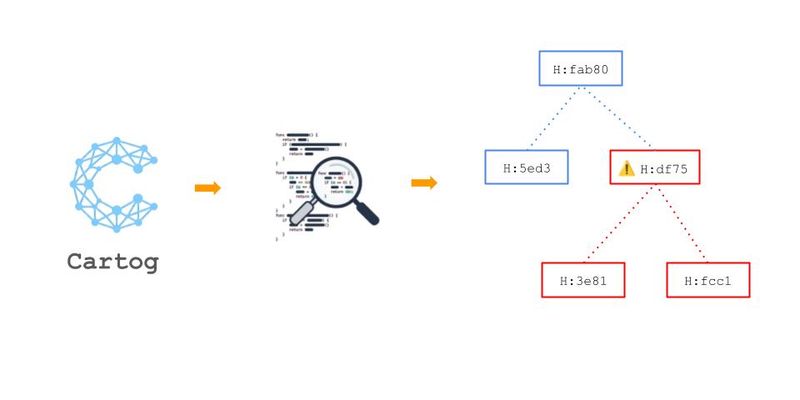
Tree-sitter is an incremental parser that produces a concrete syntax tree (CST) for any language.
Where a regex sees class UserService:, tree-sitter sees:
class_definition
  name: identifier "UserService"
  superclasses: argument_list
    identifier "BaseService"
  body: block
    function_definition
      name: identifier "authenticate"
      parameters: ...
    function_definition
      name: identifier "refresh_token"
      parameters: ...
The tree encodes structure:
UserService is a class, it inherits from BaseService, it contains two methods.
This isn’t text anymore — it’s structural knowledge.
Cartog uses tree-sitter with grammars for 8 languages today: Python, TypeScript, JavaScript, Rust, Go, Ruby, Java, and Markdown (Markdown documents are indexed as symbols without edges, useful for semantic search).
Each grammar produces a language-specific CST, and a dedicated extractor turns that CST into normalized symbols and relationships.
Tree-sitter gives one tree per file.
To connect those trees together (e.g. a call that crosses three modules, or a class that inherits from another in a different package), you need to name things and name the links between them.
From the CST, cartog extracts two types of entities:
- A symbol is a named element: a function, a class, an import, a type, an enum.
- An edge is a relationship between symbols:
callswhen a function calls another,inheritswhen a class extends another,raiseswhen a function throws an exception,importswhen a module references another.
Each symbol gets a stable identifier of the form file_path:kind:qualified_name:
src/auth.py:class:UserService
src/auth.py:method:UserService.authenticate
src/auth.py:function:verify_token
This format survives line moves within a file — only a rename or a structural change invalidates the ID.
That’s what allows the graph to be compared between two indexings without losing existing references.
In total, cartog recognizes about a dozen symbol kinds and as many edge kinds. The full list (symbol kinds, edge kinds, language coverage) lives in the cartog GitHub repo — it evolves as new grammars are added.
With a graph of symbols and resolved edges, structural queries become possible.
Here’s the kind of navigation the graph enables:
graph LR
    AuthController -->|calls| authenticate["UserService.authenticate"]
    authenticate -->|calls| verify_token
    authenticate -->|calls| refresh_token
    Admin -->|inherits| UserService
    verify_token -->|raises| TokenExpiredError
A few concrete examples:
cartog refs UserService — Who uses UserService?
Returns every symbol with an edge pointing to UserService, grouped by kind (calls, imports, inherits).
cartog callees UserService.authenticate — What does this method call?
Follows outgoing calls edges to list direct dependencies.
cartog impact verify_token --depth 3 — What breaks if I change this function?
Walks back up the caller graph 3 levels deep. The grep equivalent would mean manually reading every caller file, then every file calling those callers, and so on.
cartog hierarchy BaseService — What’s the inheritance tree?
Displays the full hierarchy: parent and child classes.
cartog outline src/auth.py — File structure
Lists every symbol in a file with its hierarchy, without having to read the file itself.
All this sounds great on paper. But does it actually change anything for an agent in practice?
To quantify these gains, a benchmark compares cartog with grep/cat across 13 typical AI-agent scenarios (definition lookup, caller tracing, impact analysis) on 5 languages, including a Python fixture of 69 files / 4k lines indexed in 95ms:
| Metric | grep/cat | cartog |
|---|---|---|
| Tokens per query | ~1,700 | ~280 |
| Recall | 78% | 97% |
| Latency — read (outline, refs) | variable | 8-14 µs |
| Latency — transitive analysis (impact depth-3) | N/A | 2.7-17 ms |
The biggest gains: tracing call chains (88% token reduction) and finding callers (95% reduction).
The agent consumes less context, gets more relevant results, and gets them in microseconds. It can ask structural questions about the code instead of reading it line by line.
Cartog leans on a deliberately minimal stack, picked so it can ship as a single binary running on the developer’s machine:
- Rust — a single binary, ~5 MB, cross-compiled for Linux, macOS (x86 + ARM) and Windows. No runtime to install, no JVM, no Node.
- tree-sitter — incremental, multi-language, structural parsing. Currently 8 embedded grammars (Python, TypeScript, JavaScript, Rust, Go, Ruby, Java, Markdown).
- SQLite (with
rusqlitebundled) — the entire graph in a single.cartog.dbfile (~1 MB for an average project). WAL mode allows concurrent reads — useful when the watcher and the MCP server run in parallel. - sqlite-vec + FTS5 — vector search (KNN) and full-text search (BM25) integrated into SQLite, no external server. Detailed in Semantic code search with RAG and ONNX.
- ONNX Runtime (via
fastembed) — embedding inference locally, on CPU. No external API, the code never leaves the machine. - rmcp — MCP server over stdio to expose the graph to agents.
The strengths emerging from these choices:
- Zero infrastructure — one binary, one database file. No Postgres to provision, no Neo4j to administer.
- 100% local — no data sent to any external service. Compatible with proprietary code, NDAs, air-gapped environments.
- Microsecond latency — the graph is precomputed, queries are indexed SELECTs.
- Cross-platform — a single
cargo install cartogcovers the major OSes.
The storage model is extensible: an internal spec already describes an S3 mode (graph shared across CI, team, machines), with local SQLite as cache. The format stays the same — only the distribution layer changes.
Curious about the exact schema (tables, columns, indexes) and architectural decisions? Everything is documented in the cartog GitHub repo and the docs.rs page.
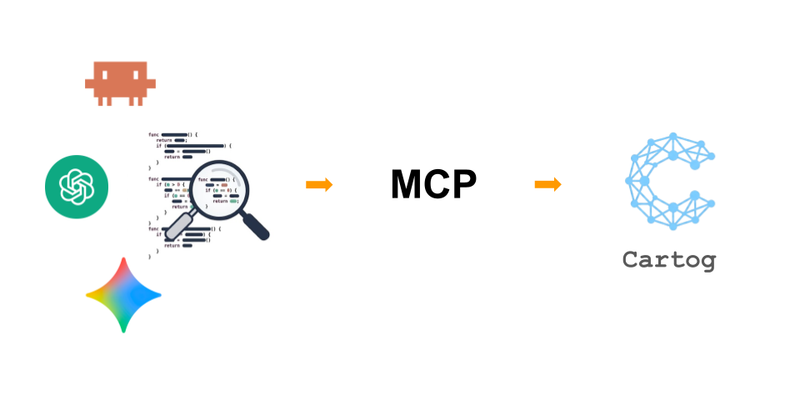
The CLI commands above are the visible face. So that an agent can use them without plumbing, cartog ships as a Claude Code plugin — that’s the recommended path: one-command install, preconfigured MCP server, embedded agent skill. The plugin exposes 12 MCP tools: cartog_search, cartog_refs, cartog_callees, cartog_impact, cartog_hierarchy, cartog_outline, cartog_deps, cartog_changes, cartog_rag_index, cartog_rag_search, cartog_index, cartog_stats.
For other MCP clients (Cursor, Windsurf, Zed, etc.), cartog serve exposes the same tools over stdio.
A separately installable agent skill, via npx skills add jrollin/cartog, teaches the agent when to use which tool: which search to route to cartog_search rather than cartog_rag_search, how to chain tools for a refactor, which heuristic fallback to use when a symbol isn’t found.
We have a graph of symbols. But a
calls → verify_tokenedge doesn’t say whichverify_tokensymbol to use.
Several may exist in the project. The graph is incomplete if we don’t resolve that.
When tree-sitter sees verify_token() inside a method body, it creates an edge with target_name = "verify_token".
But pointing to which symbol exactly?
This ambiguity can be resolved with a heuristic cascade, from most specific to most general:
flowchart TD
    A["verify_token — unresolved target"] --> B["Same file?"]
    B -->|yes| R["✓ Resolved"]
    B -->|no| C["Import path?"]
    C -->|yes| R
    C -->|no| D["Same directory?"]
    D -->|yes| R
    D -->|no| E["Unique in project?"]
    E -->|yes| R
    E -->|no| F["✗ Unresolved"]
A second pass then replays imports once they’ve been resolved, to recover cases where the import itself was ambiguous on the first round.
On our benchmarks, this heuristic resolves 25 to 37% of edges depending on the language. That’s enough for simple projects, but clearly not enough for complex codebases full of homonyms and re-exports.
But IDEs let me rename classes or functions without breaking anything? How does that work, and why doesn’t cartog do it right away?
IDEs solve this by querying a language server — a partial compiler that knows the project’s exact semantics (types, scopes, re-exports), where cartog’s heuristic only sees names and paths. Wiring cartog onto LSP raises resolution to 44-81%. That’s the topic of a dedicated article later in the series.
What if the agent is looking for “the order validation logic” without knowing the function name? There has to be another approach…
The structural graph solves the problem of understanding code, but it requires knowing the exact name of the symbol you’re looking for.
That’s the topic of the next article in the series: semantic search over code.